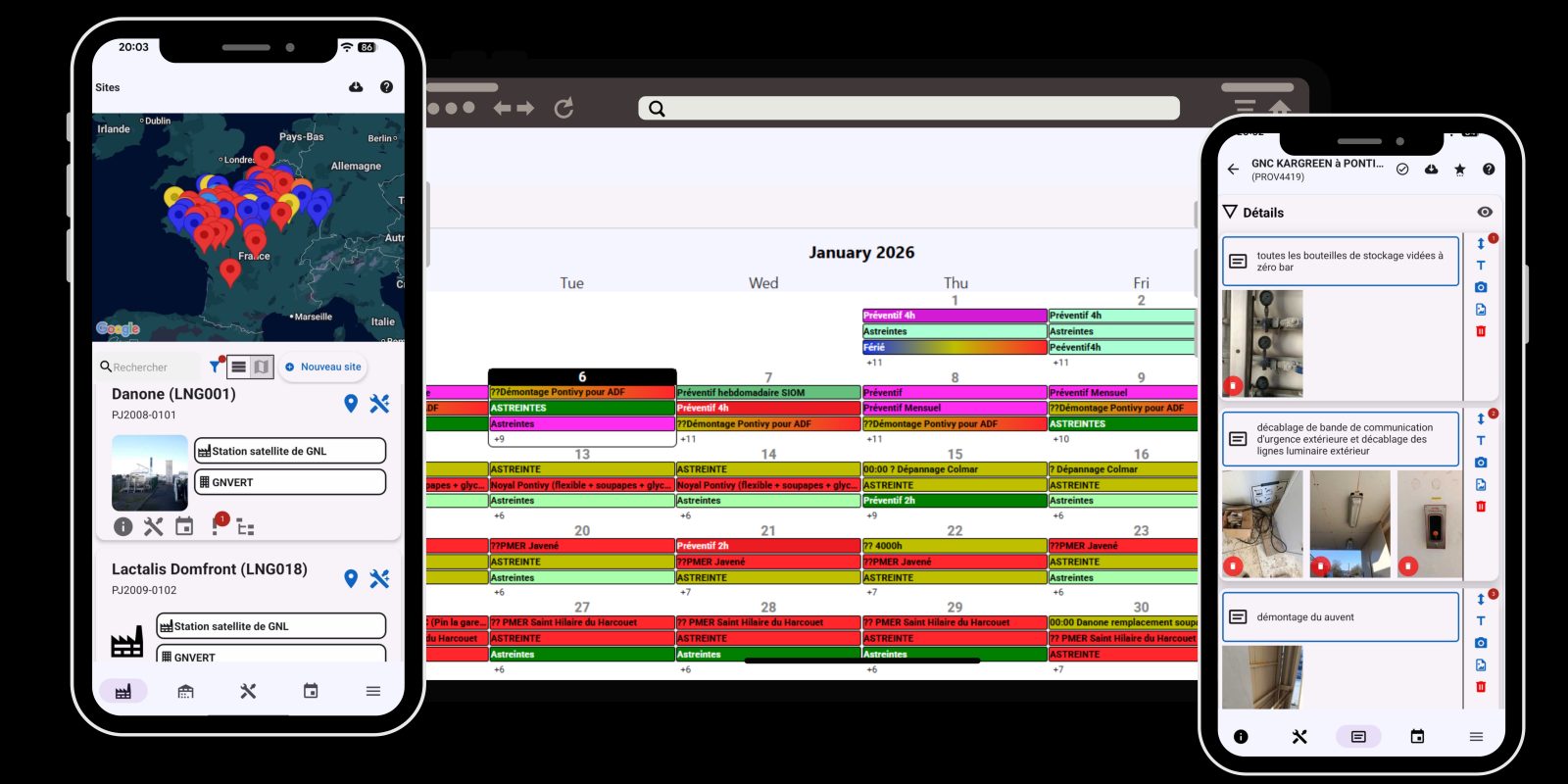
Simple GMAO: Simple maintenance management software for your technicians and managers
Manage maintenance requests, scheduling, equipment, stock and documents across all your sites in one easy-to-use platform. Try it free for 1 month.
Request for a free demoTrusted by over 500 users
Simple GMAO makes Maintenance Management easy and efficient for companies





CMMS features
Maintenance tickets
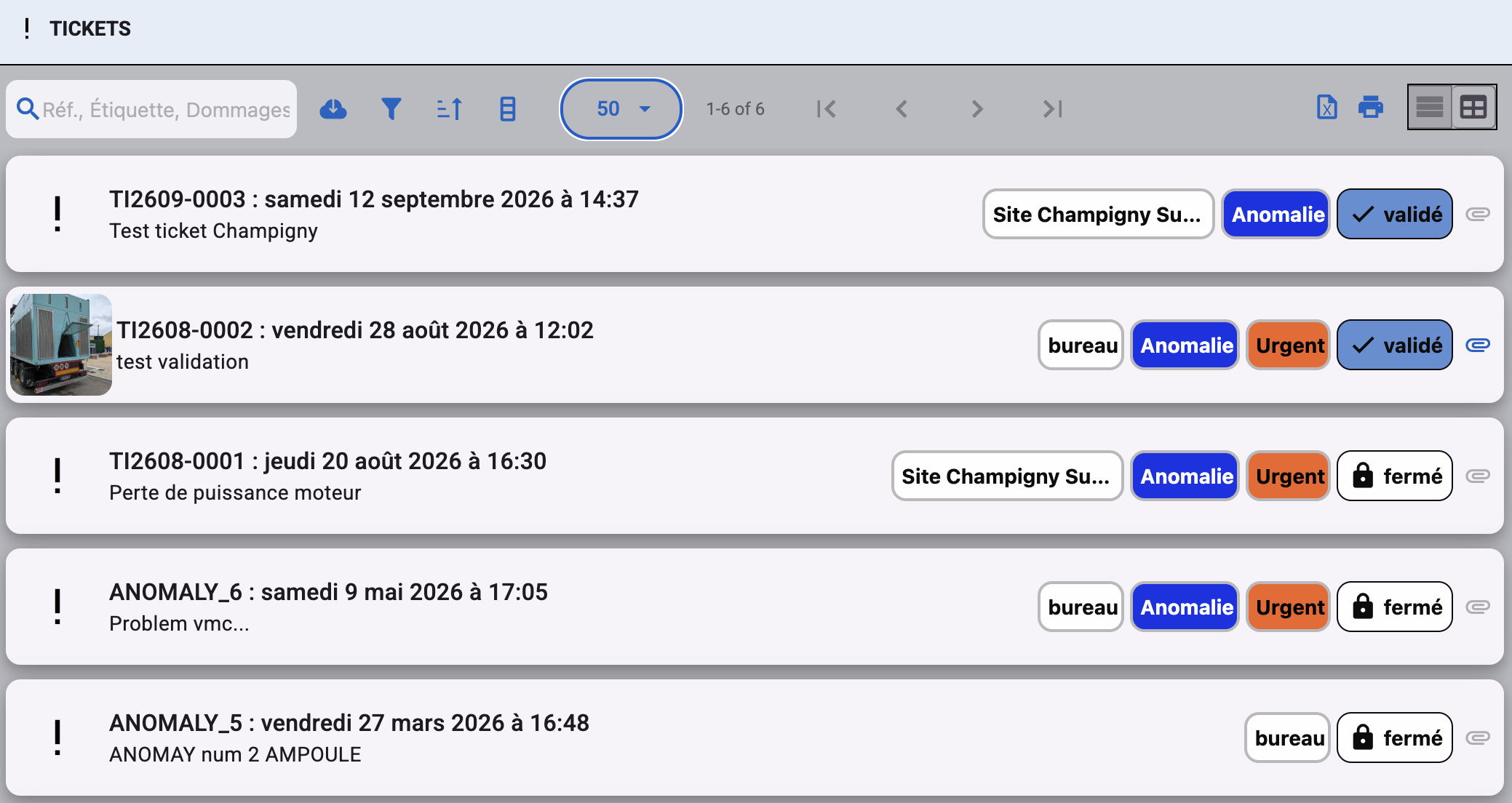
Report and track every breakdown or issue, from draft to resolution. Tickets replace the former “anomalies”.
Intervention requests
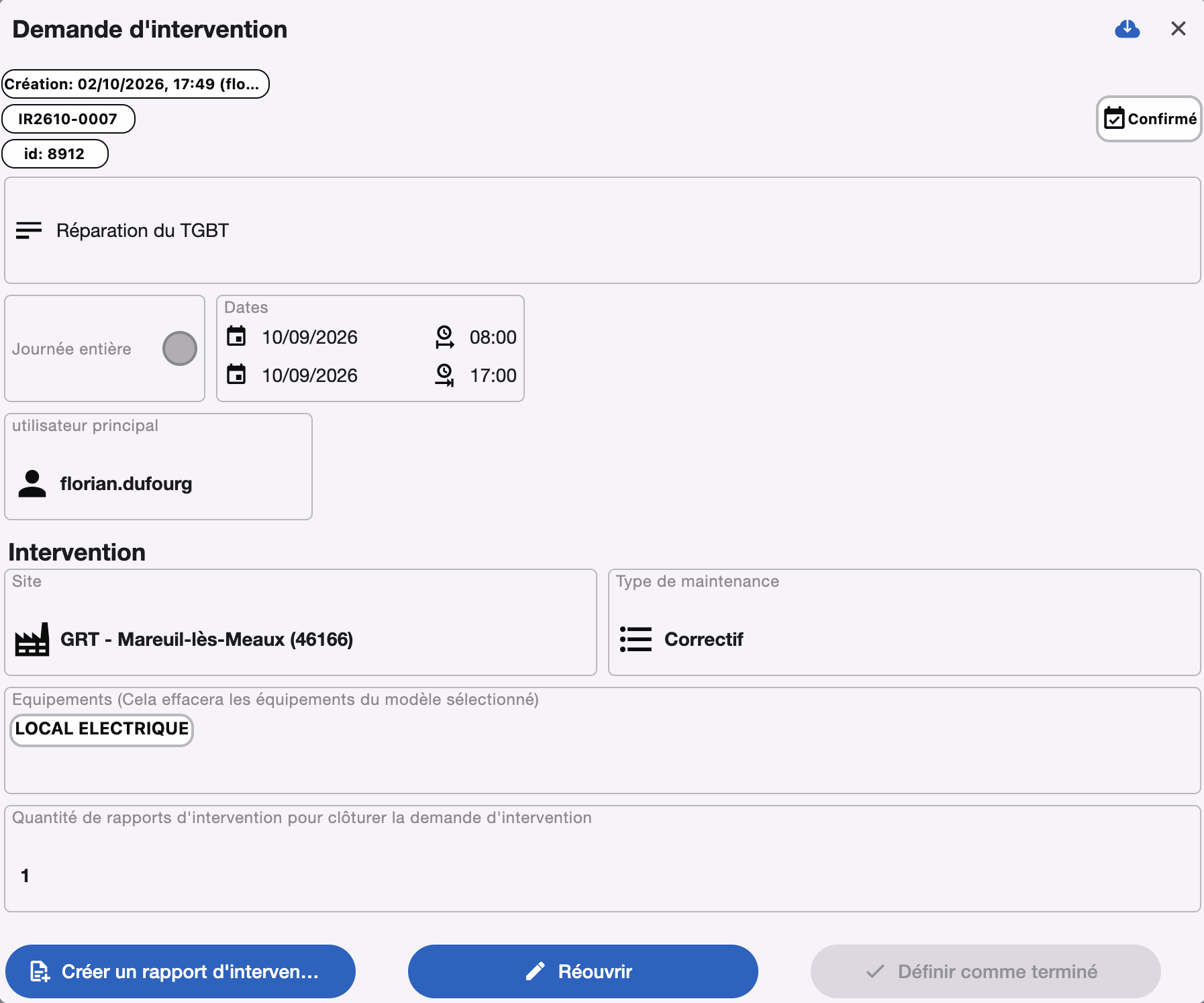
Plan, assign and repeat your interventions.
Equipment management
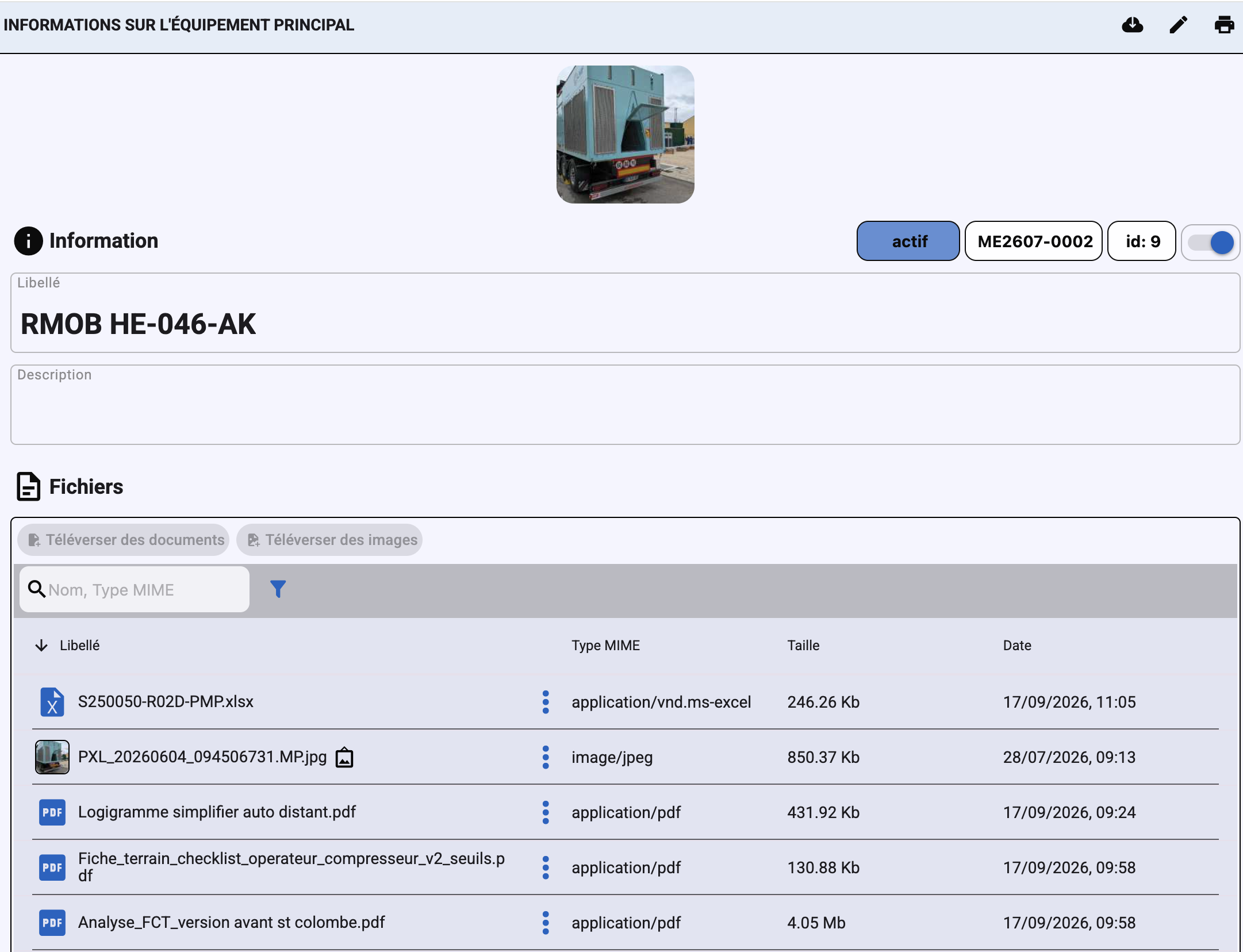
Site → equipment → components structure, measurements and availability.
Intervention models and checklists
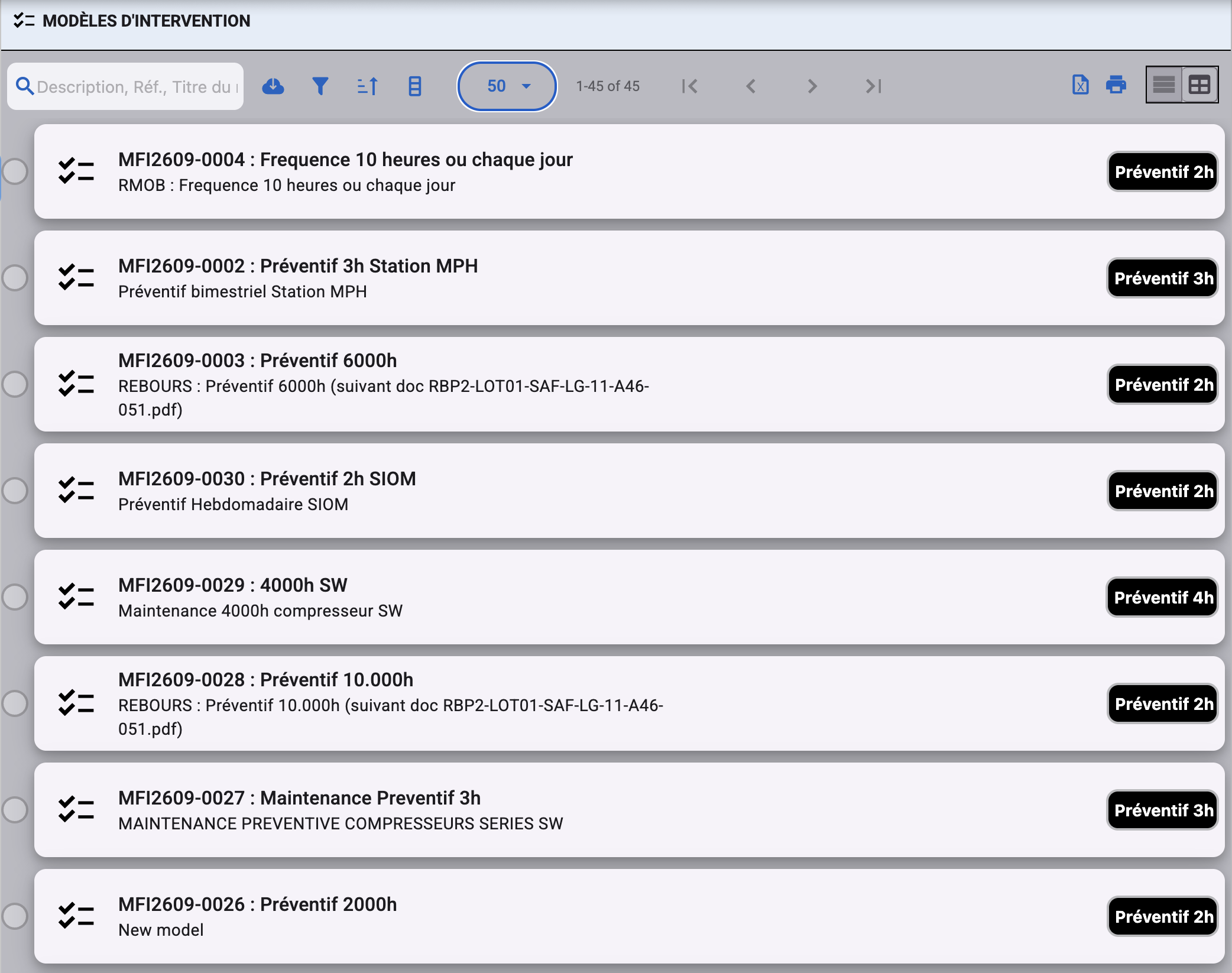
Prepare each intervention once, with its checklist, checkboxes and photos. In the field, the technician simply follows the steps and ticks them off, so nothing is forgotten.
Maintenance planning
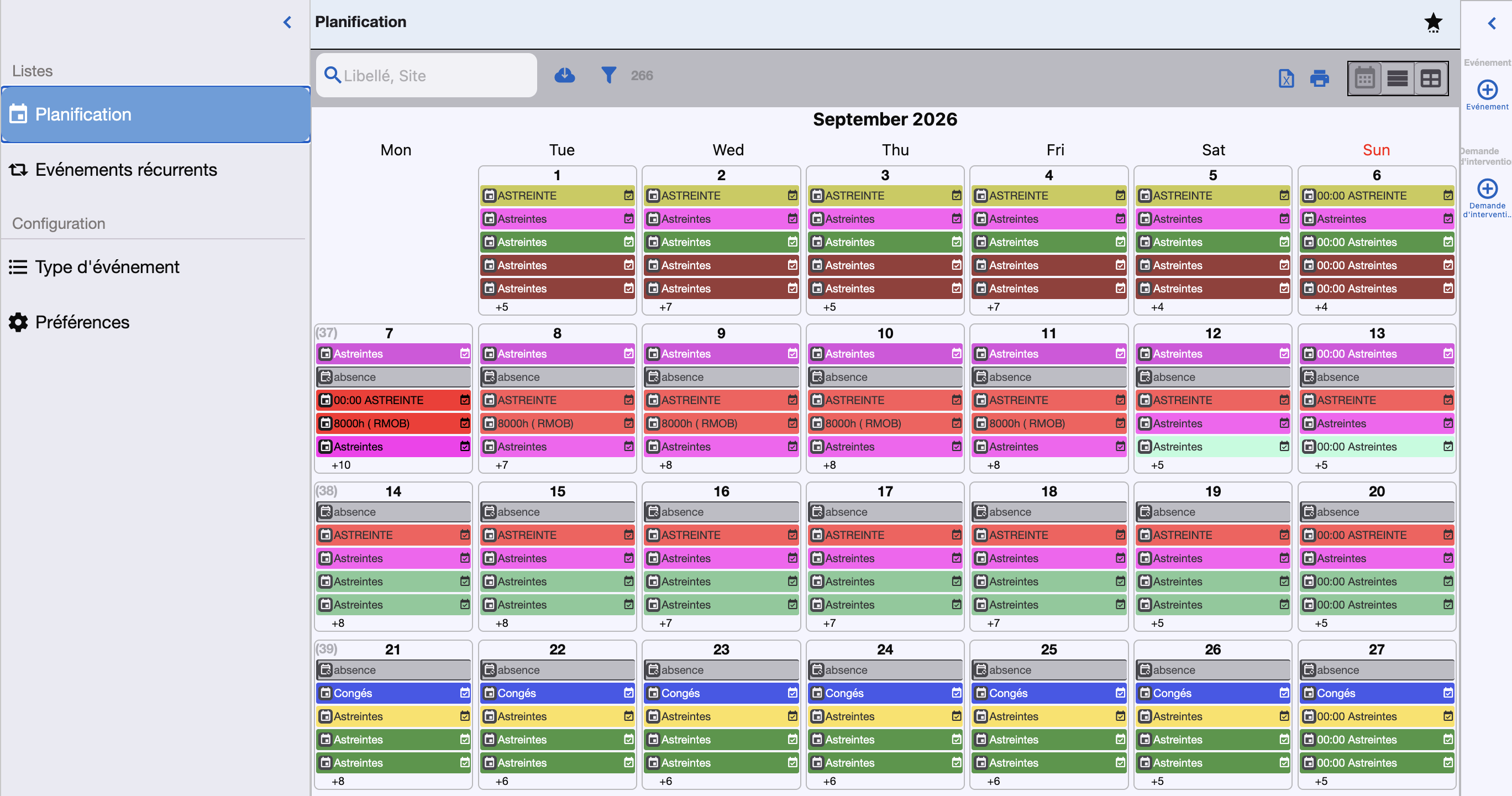
Calendar, recurring events, drag and drop of unconfirmed events.
Inventory management
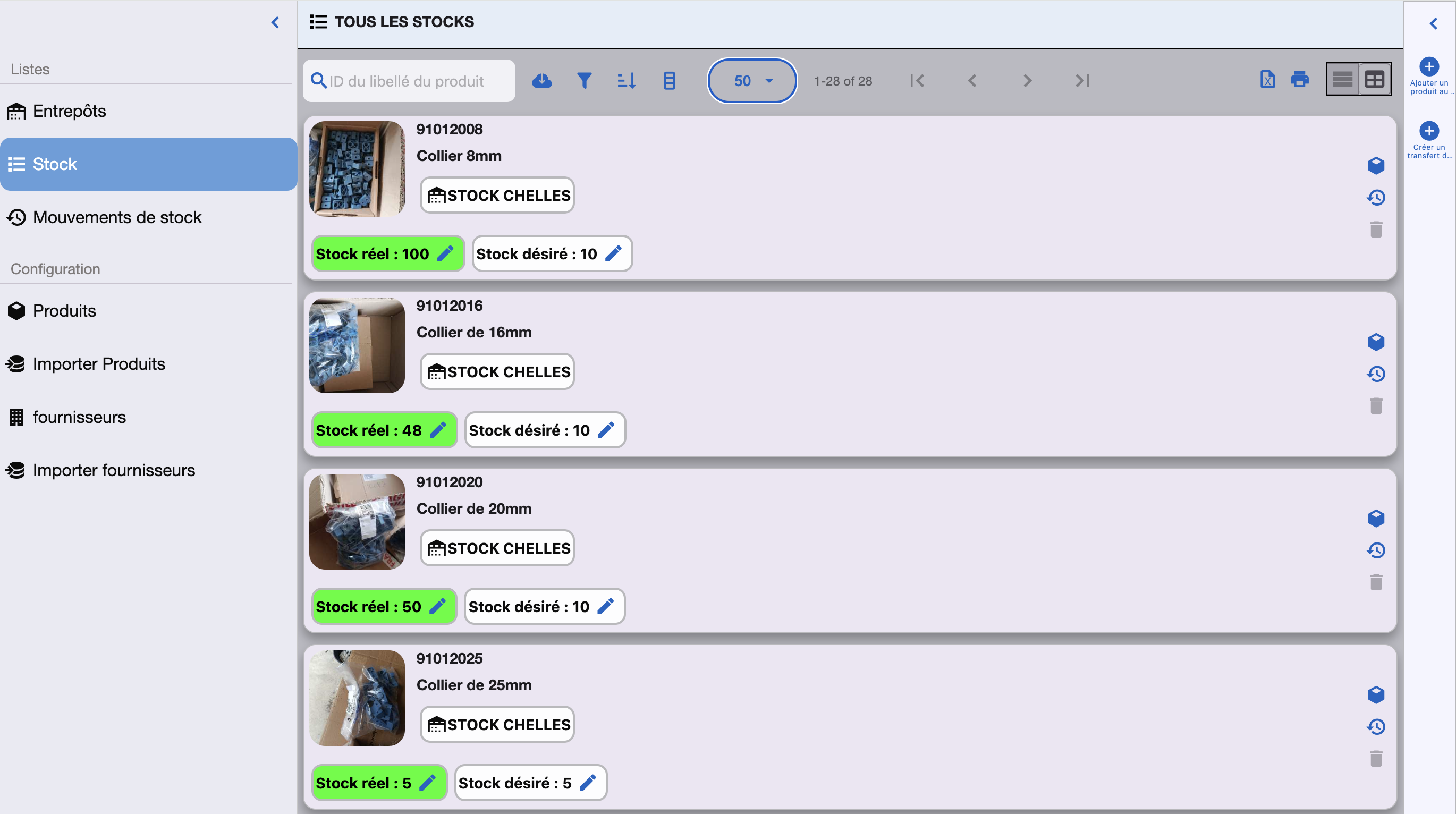
Products, warehouses, movements, transfers, consumption linked to interventions.
Multi-site CMMS
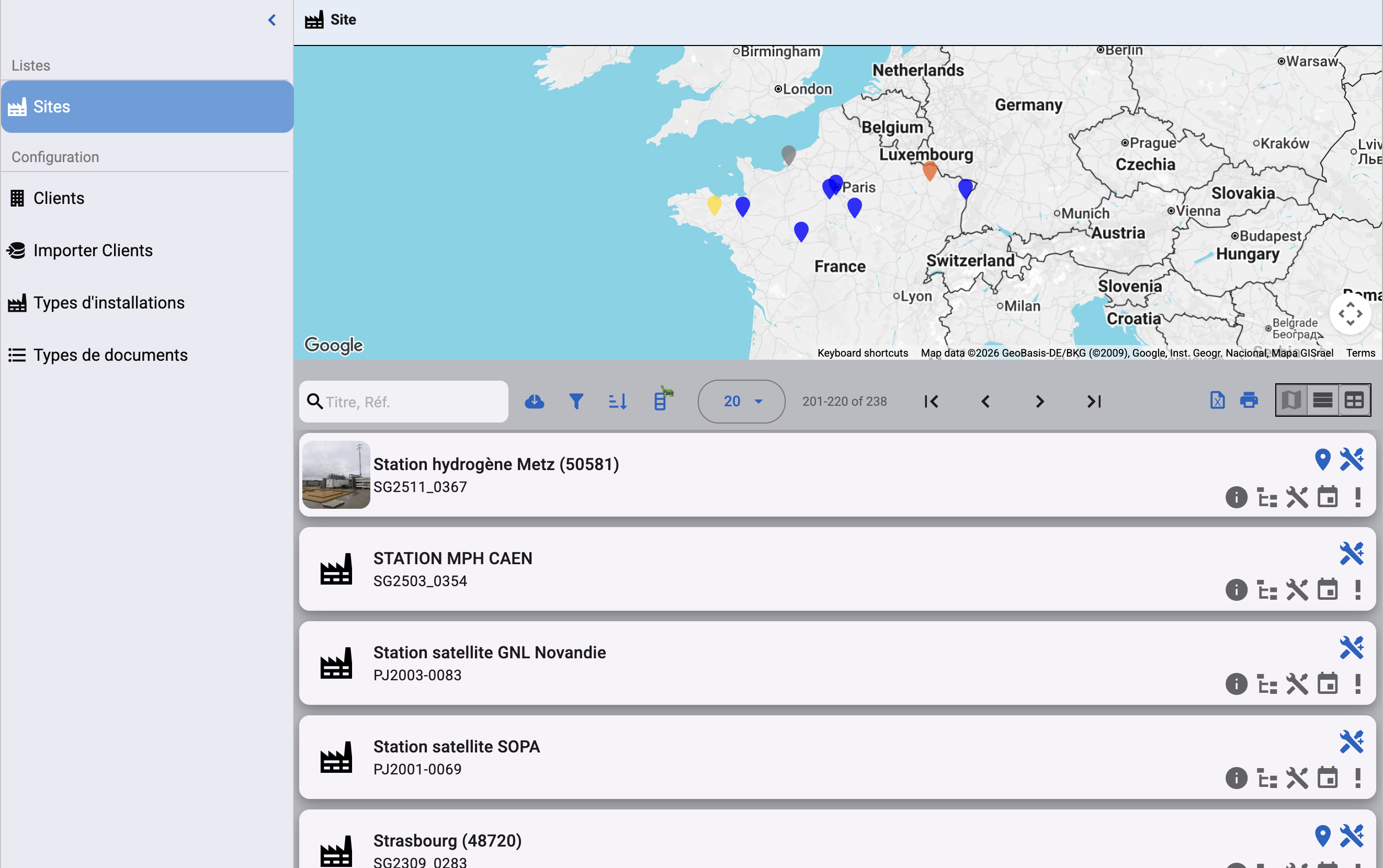
Manage all your sites and customers from a single workspace.
Document management
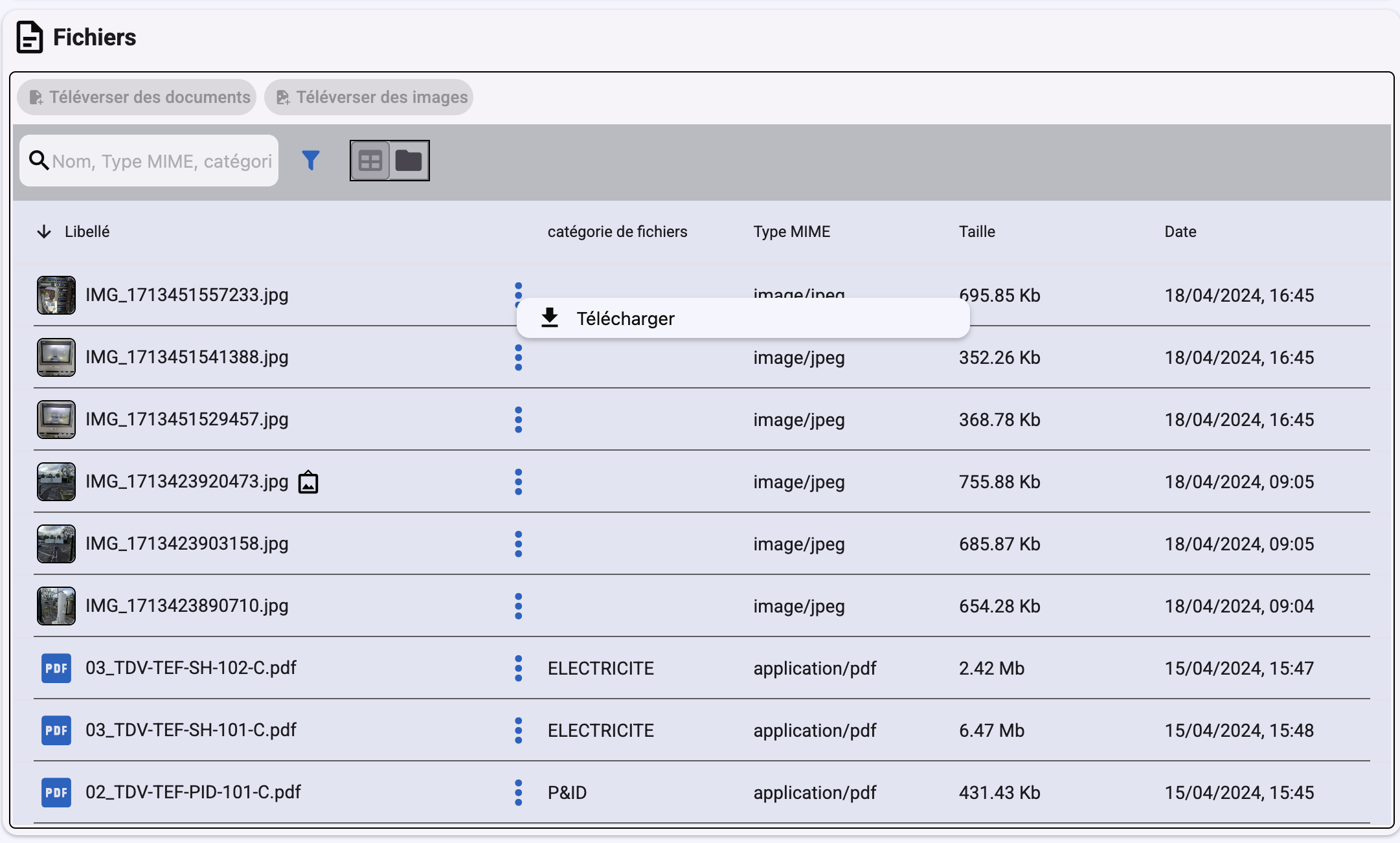
Attach files, photos and scans to sites, tickets and interventions.
User roles
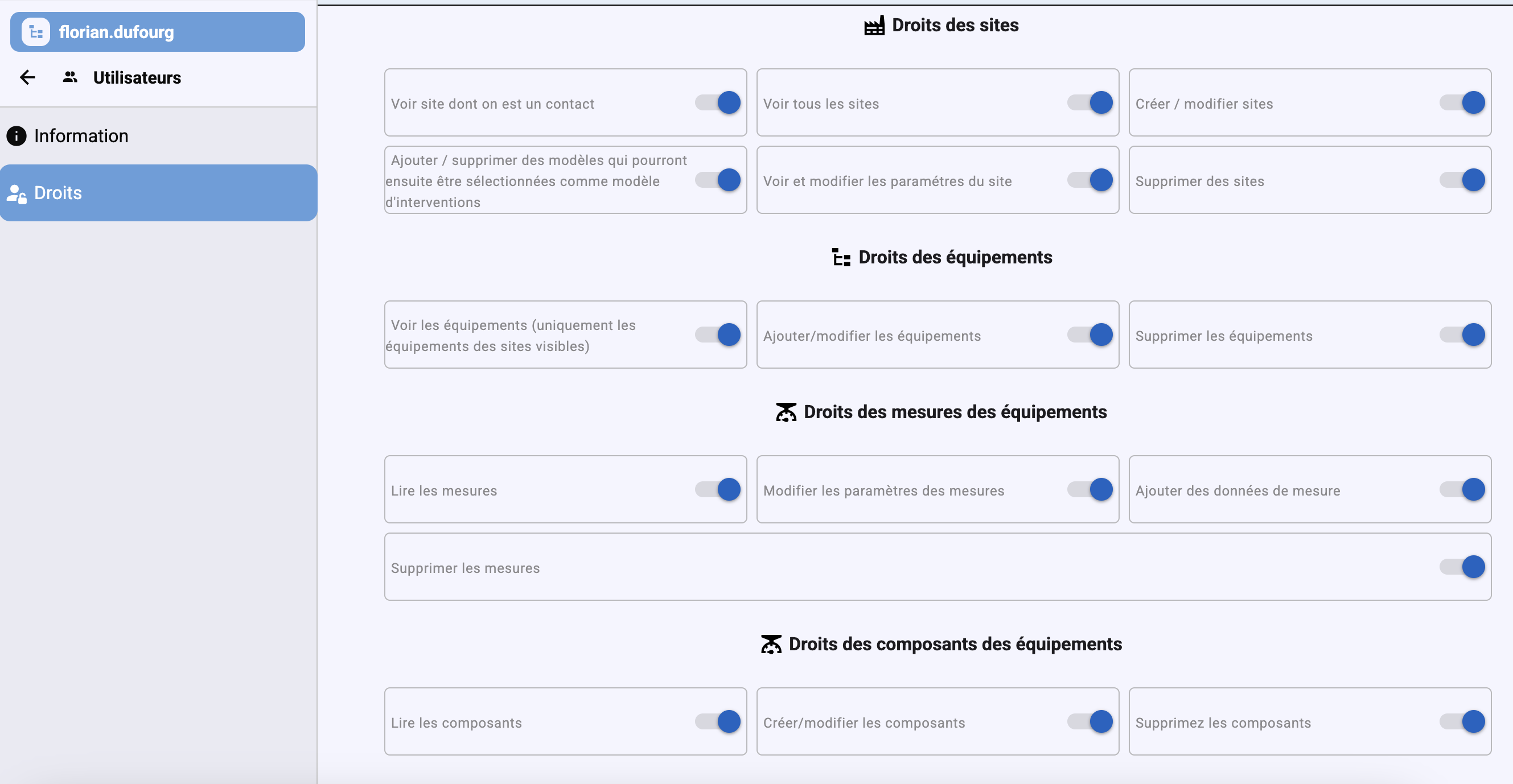
Permissions per module, access per site, copy permissions from one user to another.
Excel import & PDF printing
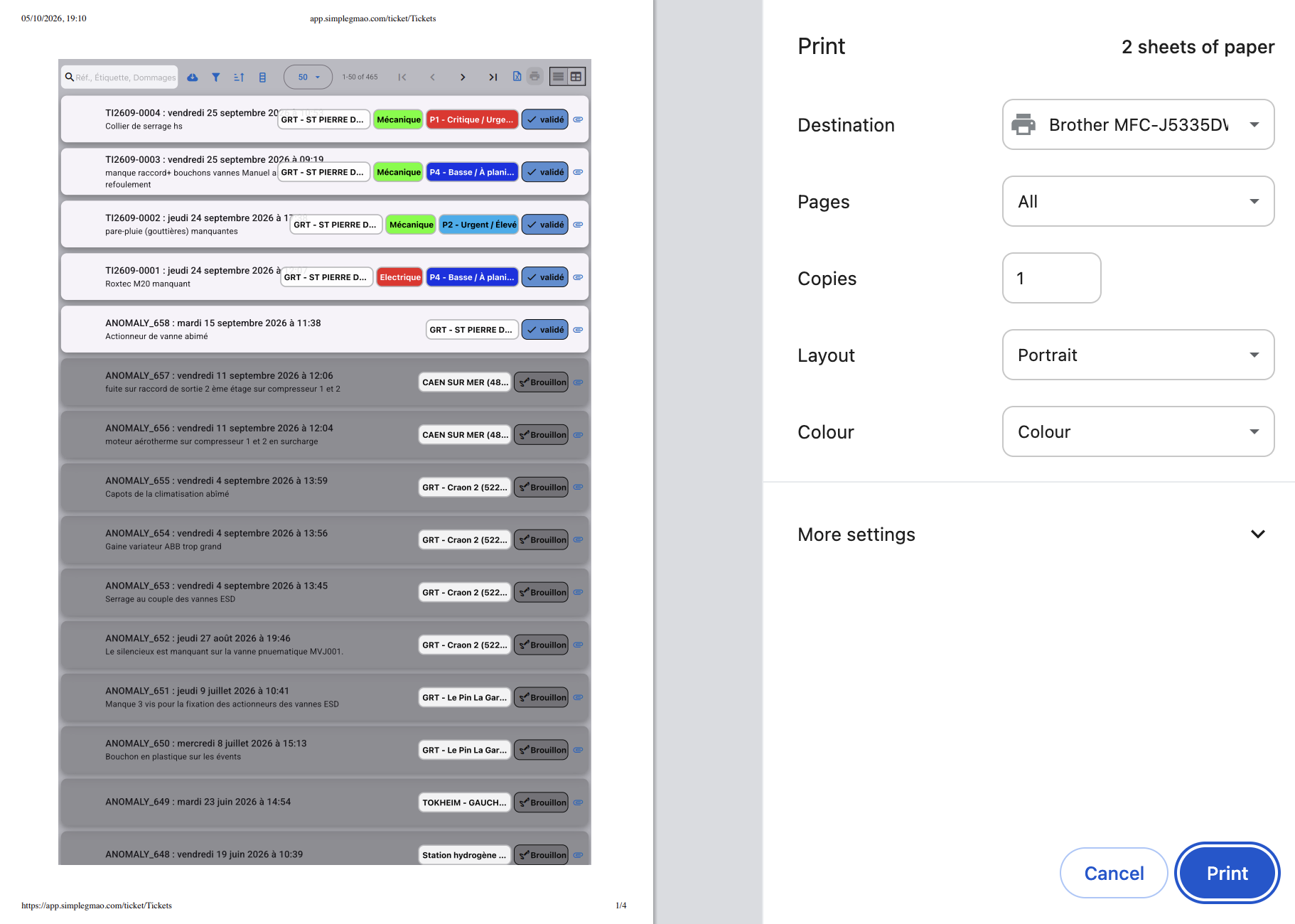
Import interventions, products, customers and suppliers from Excel; print any screen to PDF.
Email and push notifications
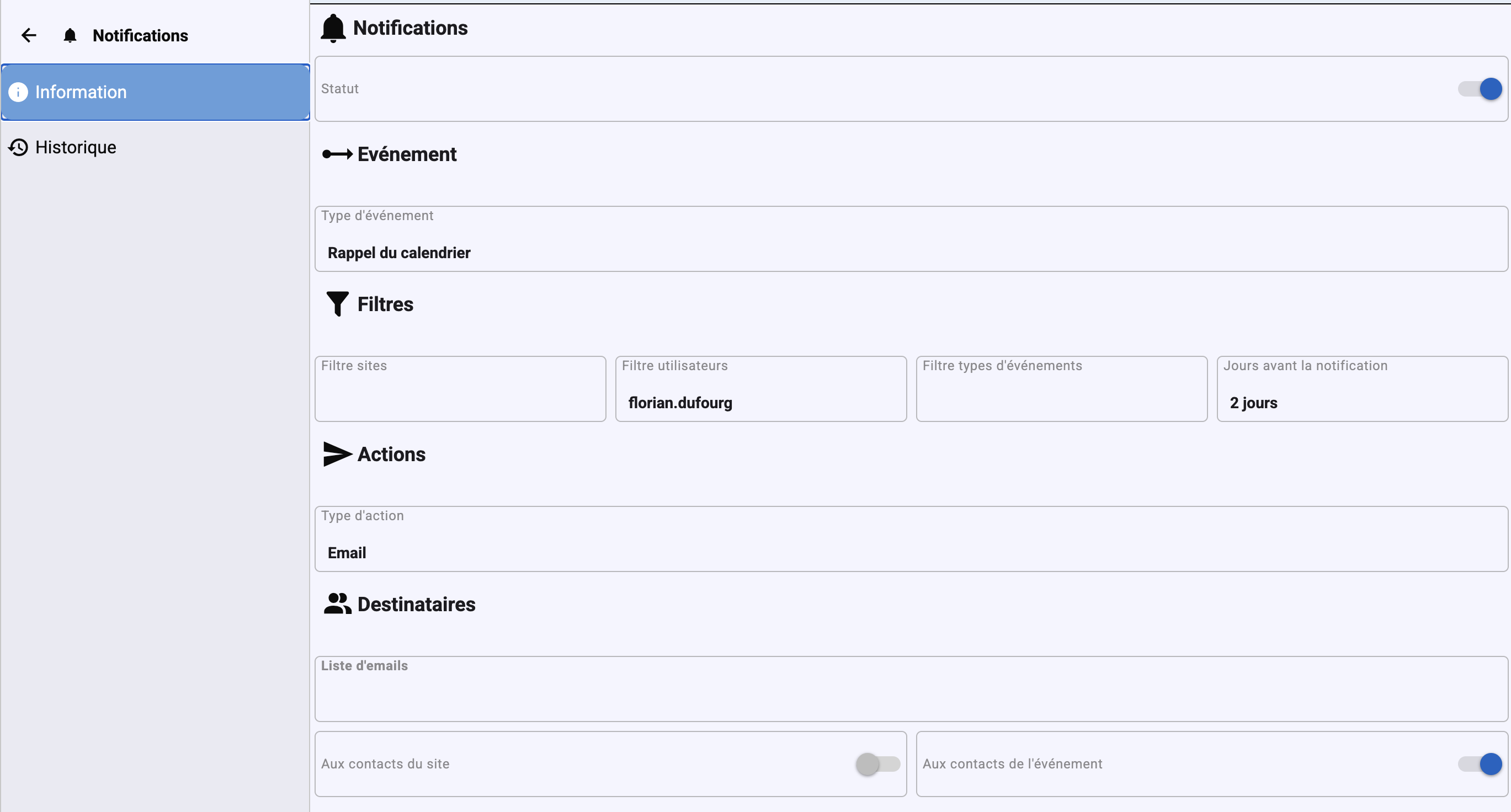
Receive email and push notifications to stay informed about your maintenance interventions.
From ticket to report: a simple maintenance workflow
1. Ticket: a user reports a problem (site, equipment, criticality).
2. Intervention request: the manager plans the work: intervention type, template, person in charge, equipment.
3. Intervention: the technician records operations, readings, photos and parts used.
4. Close-out: the ticket is closed, the report validated and the PDF generated.
5. History: everything stays linked to the equipment and its components.
A CMMS for industry, buildings and services
From small businesses to multi-site groups, Simple GMAO fits the trades where equipment availability is essential, in France and across Europe.
-
Manufacturing CMMS software
Schedule preventive maintenance for machines and production lines. When equipment breaks down, assign a corrective work order to a technician and keep the spare parts used, readings and asset maintenance history together.
-
Energy and gas stations
CNG and LNG stations, networks and technical installations spread over many sites.
-
Construction
Plant, tools and site equipment tracked site by site.
-
Facilities maintenance management software
Plan HVAC, electrical and plumbing maintenance across your buildings. Bring work requests, periodic inspections and checklists into a shared maintenance schedule for facilities managers and field technicians.
-
Hotels and restaurants
Rooms, kitchens and technical equipment, with intervention requests that are easy to submit.
-
Healthcare
Tracking of technical equipment and traceability of inspections in care facilities.
-
Property maintenance software
Centralise occupant requests for common areas and building equipment. Link each maintenance ticket to the right property and retain work order reports and documents for a clear history across multiple sites.
-
Logistics and fleets
Vehicles, warehouses and handling equipment maintained on a schedule.
Frequently asked questions about CMMS software
What is CMMS software?
A CMMS (Computerized Maintenance Management System), called GMAO in French (gestion de maintenance assistée par ordinateur), is software that centralises equipment, work requests, scheduling, spare parts inventory and maintenance history. Simple GMAO is a cloud CMMS: nothing to install, your team uses it from a browser or from the mobile app.
What is the difference between preventive and corrective maintenance?
Preventive maintenance is planned ahead (periodic inspections, statutory checks, lubrication, replacement of wear parts) to avoid breakdowns. Corrective maintenance happens after a failure to bring the equipment back into service. Simple GMAO handles both: recurring interventions in the schedule for preventive work, tickets and intervention requests for corrective work.
Which industries use Simple GMAO?
Simple GMAO is built for manufacturing and industry, energy and gas stations, construction, facility management and building maintenance, hotels and restaurants, healthcare, real estate and logistics. It suits small businesses as well as multi-site maintenance teams.
How much does Simple GMAO cost?
Simple GMAO is a monthly subscription with no commitment, with several plans including one with unlimited users. The trial is free for 1 month, with no credit card required. Plan details are on the Pricing page.
Does Simple GMAO work on mobile?
Yes. Simple GMAO has iOS and Android mobile apps. Technicians view their interventions, complete checklists, add photos and record the parts they used directly in the field.
Can I import my Excel data into Simple GMAO?
Yes. You can import your interventions, products, customers and suppliers from an Excel file, then print your intervention reports as PDF.
Which languages is Simple GMAO available in?
Simple GMAO is available in English, French and Spanish, for maintenance teams in France and across Europe.
To go further: see Simple GMAO pricing, our CMMS and maintenance guides or the software documentation.