Warning: Undefined array key "HTTP_ACCEPT_LANGUAGE" in /var/www/app.simple-soft.eu/20.0.4_0/custom/simplesoftwebsite/tpl/index.tpl.php on line 156 Introduzione a Simple GMAO – Guida all'installazione e ai primi passi
Introduzione a Simple GMAO – Guida all'installazione e ai primi passi
Guida introduttiva dettagliata per Simple GMAO: richiedi le credenziali, accedi dal Web o dal cellulare, configura il tuo account e i moduli e personalizza il tuo CMMS per iniziare la gestione della manutenzione in modo rapido ed efficiente
Overview
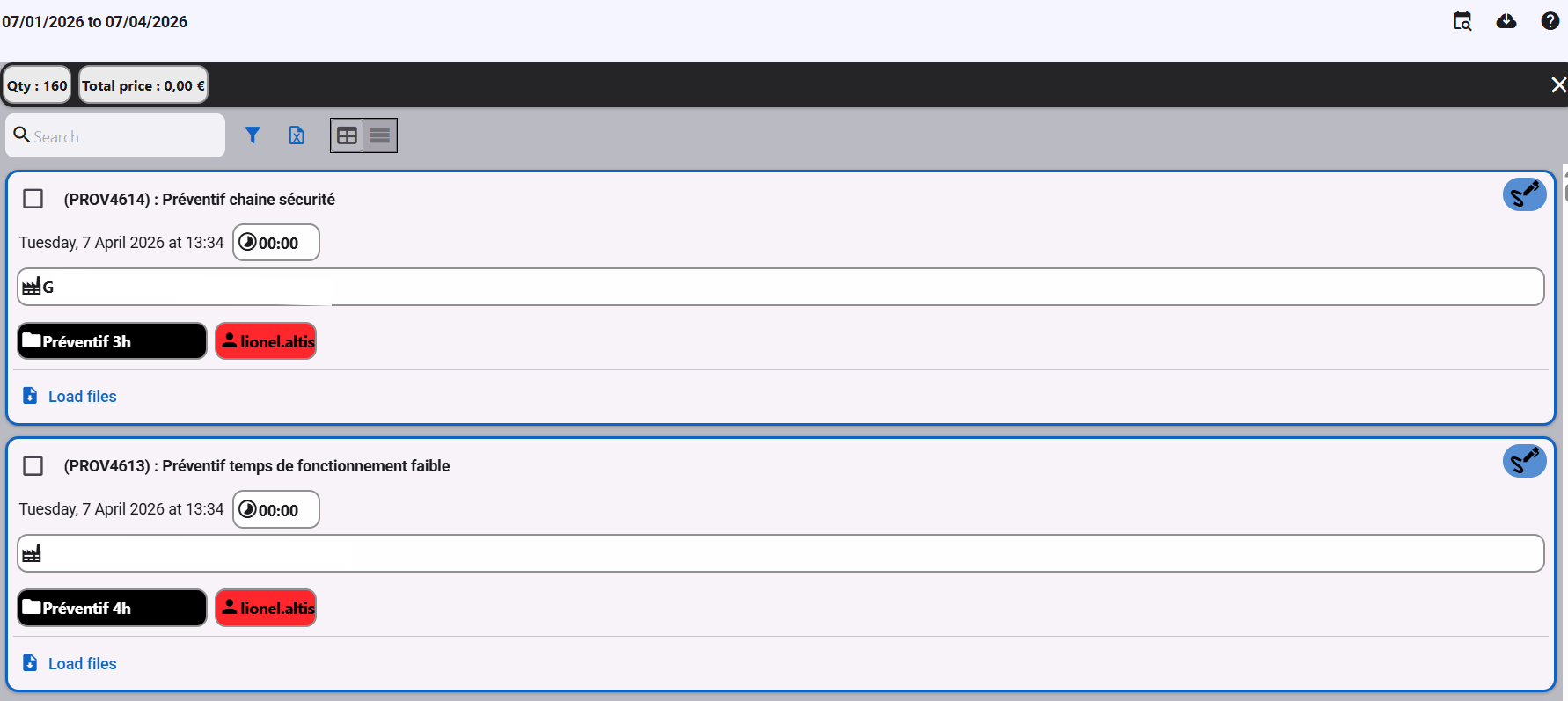
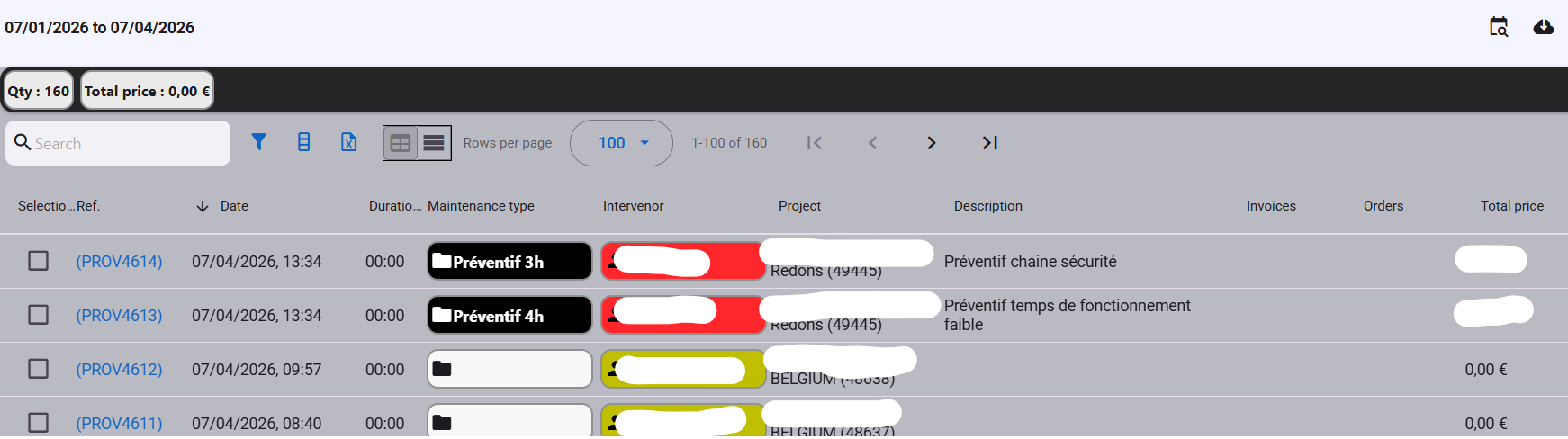
The intervention module is a central element of a CMMS, it allows the technician to produce detailed reports simply from their smartphone and managers to consult the intervention history quickly.
Intervention card
Intervention card
Interventions list
Interventions list
View the interventions
You can view the interventions by selecting the site concerned then clicking on the intervention button in the menu
View all the interventions from all the sites by clicking on the button Interventions (all)
Create an intervention
To create a new intervention click on the button New intervention
The button New intervention is available from left menu, from intervention list screen and from sites list card.
Then choose whether you want to generate a report from a template (e.g.: preventive, predefined checklist, etc.) or whether you want to start from a blank sheet (e.g.: corrective).
To create new models, go to the configuration menu : Interventions models
You will then need to fill in the fields provided:
General information about the intervention
Customer
Select the customer to whom this intervention sheet is addressed.
Maintenance type
Select the maintenance type (list of maintenance types available from the configuration menu).
Intervention date
Indicate the start date of the intervention.
Description
Indicate the general title of the intervention, this title will help you easily find the intervention in the list.
Cause of reparation
Indicate the root cause of the troubleshooting (this box only appears in the context of a troubleshooting intervention)
Contributor
Indicate who the speaker is, this box is pre-filled with the user who created the file
Duration
Indicate the duration of the intervention
Downtime
Indicate the equipment downtime
Details of the intervention
New line of intervention —
Add a new line to the intervention report to document each action performed.
Set line type —
Choose the type of each line (text, checklist, photo, signature, etc.) to structure the report.
Organize the lines —
Drag and drop lines to reorder them and present the intervention steps in a logical sequence.
Delete a line —
Remove any line from the report that is no longer needed.